
Acer Chromebook 11 C721 Bottom Cover Replacement
Replacing the bottom cover of an Acer Chromebook 11 C721 (or its 2-in-1 counterpart, the R721T) is a standard maintenance procedure typically required for devices in educational environments. Because the C721 is a fanless device, the bottom cover plays a critical role in heat dissipation and protecting the motherboard from environmental contaminants. Replacing a cracked or loose panel ensures the internal components remain securely seated and the device maintains its ruggedized drop-protection rating.
Guide Details
Repair typeBottom Cover Replacement
DifficultyEasy
Estimated time15 min
Steps5
Parts Needed
- Bottom Cover - PN: 60.HBNN7.001Buy Part
Tools Required
- Phillips #0 Screw driver
- Plastic Pry Tool
Materials
None listed.
Guided Step Mode
Step 1 of 5
Use the step overview, the next and previous buttons, or your keyboard arrows to move through the repair.
20% complete
1. Preparation and Safety
Step 1
1. Preparation and Safety
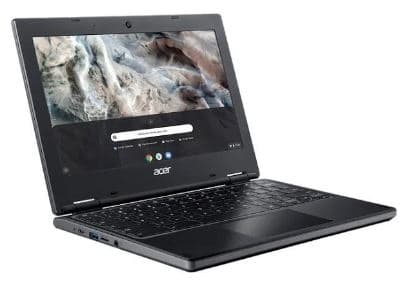
Power Down: Ensure the Chromebook is completely turned off and the power adapter is unplugged.
Warning
Remove any microSD cards or USB receivers from the side ports to prevent them from catching or breaking during cover removal.
Place the device top-down on a soft, lint-free cloth to avoid scratching the display lid.
1. Preparation and Safety
Up next: Remove the Base Screws
Step 1 of 5
1. Preparation and Safety